Nina Out and About contains affiliate links and is a member of the Amazon Services LLC Associates Program. If you make a purchase using one of these Amazon links, I may receive compensation at no extra cost to you. See my Disclosure Policy for more information.
15 Best Laptops for Digital Nomads Remote Work (2024)
Looking for the best laptops for digital nomads and remote workers?
The digital nomad lifestyle is growing in popularity every day, and more people are looking for the best device to fit their needs.
You want something reliable, powerful, and, most importantly, within your budget. You want to consider battery life, packability, and overall function. The right laptop needs to keep up with you no matter where your journey takes you.
But with so many laptops on the market, it can be challenging to decide which is the right one for you. So, here are my top picks for the best travel laptop for digital nomads.
Our Picks for the Best Digital Nomad Laptops:
There are a TON of great laptops out there for digital nomads, and the best one for you depends on what you need it to do. However, our top 3 picks include:
- Best for video editors: MacBook Pro
- Best for overpackers: MacBook Air
- Best for the budget-minded: Microsoft Surface Pro 7
Let’s dig into the rest of the list:
15 Best Laptops for Digital Nomads

1. Macbook Pro 16”
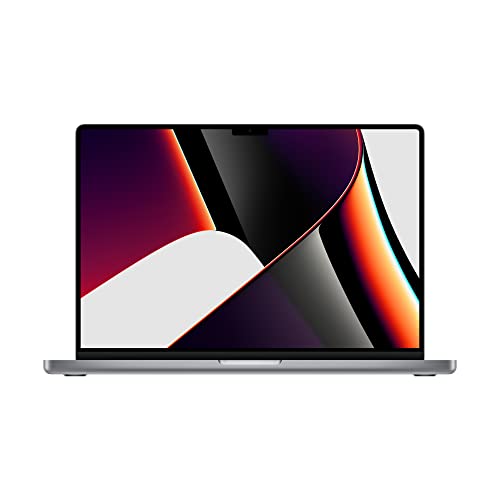
The MacBook Pro 16 is what I use, so naturally it’s my number one pick for best laptop for digital nomads. Everything from daily blogging activities to running my YouTube channel happens with this fancy little device. The best part is, it’s a piece of cake to travel with (though I’d recommend investing in a case).
If you haven’t had the pleasure of working with an Apple device before, you’re seriously missing out. The MacBook Pro was designed for content creators (and creatives in general) providing a smooth, easy, and ultimately pleasurable user experience. If it’s your first Mac, you’ll need to get comfortable but once you do, you’ll wish you switched sooner.
I particularly love the seamless program switching and ability for endless tabs (yes, I know they say multitasking is bad) due to the generous base-level RAM of 16GB (you can upgrade this if you want). The big screen is a stellar asset for creating new WordPress sites to add to my empire (though you can go with the smaller 14-inch screen if you want).
The base model has enough space for me to store my immediate files (though I recommend cloud storage or an external device for long term storage of big files, like videos). And it has a killer battery life — giving me 15+ hours of time between charges.
I would recommend Apple products for any digital nomad that wants a reliable computer on the road. However, I admit that it’s not in everyone’s budget so I did include some other stand-up choices on this list.
Size: 16-inch LED backlight display (also comes in 14), 3456 x 2234 native resolution
Weight: 4.7 lbs
Processor: M2 PRO or M2 MAX
RAM/Memory: 16GB to 64GB
Battery Life: 15 to 22 hours (depends on what you’re doing)
Storage: 512GB to 8TB
Pros:
- Amazing performance
- Sleek, modern look
- Built for content creators
- I use it 😉
Con:
- Expensive choice, won’t fit into everyone’s budget
- While it’s travel friendly (case and point: I travel and use it), it’s not the lightest option on the list


2. Macbook Air
While I hands-down recommend the MacBook Pro for digital nomads, the Macbook Air was actually built to be lightweight and travel-friendly. Considering it’s almost 2 lbs lighter, I’d say that its fit for the digital nomad lifestyle.
The big downside to Apple computers is that you can’t upgrade them after the fact. If you’re going to get full-on creative with a YouTube channel or even a podcast, you’ll want to invest in a faster device. At minimum, you’ll want the 16GB RAM upgrade — but devices with the M2 Chip can be upgraded to 24GB. The storage starts at 256GB — but, again, if you’re going to be working with larger files, consider starting at 512GB or even 1TB.
Besides those slight modifications that are going to boost your laptop budget, this is truly more travel-friendly, lightweight, and affordable. The 13.3-inch screen is a standard size that fits in most backpacks and carry ons, and you’re looking at around an 18 hour battery life (though it depends on what you’re doing).
This is great for people working while moving a lot – like I did when I lived in the Czech Republic.
The one big downside that’s worth mentioning for those heavy laptop users is that what allows the Air to be such a thin device is that it’s built without a fan. That means, this bad boy could overheat if you’re workin’ her too hard.
Size: 13.3-inch LED backlight display, 2560 x 1600
Weight: 2.8 lbs
Processor: Apple M1
RAM/Memory: 8GB to 16 GB (M2 Chip = up to 24)
Battery Life: Up to 18 hours (depending on what you’re doing)
Storage: 256GB to 2TB
Pros:
- Sleek, gorgeous laptop
- Thin, lightweight and very portable laptop
Con:
- Despite the fact that it’s cheaper than the pro, it’s still on the expensive side
- Built without a fan, so it’s prone to overheating

3. Microsoft Surface Pro 7
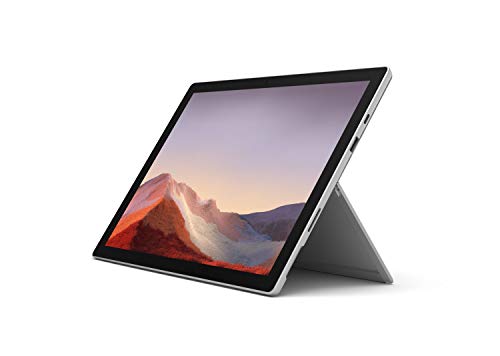
Technically a tablet, the Microsoft Surface Pro 7 comes with a strong recommendation from digital nomads around the world. Not only does it have a lightweight, sleek design, but it’ll cost you less than both my Apple picks.
You can snag a Surface Pro for less than $1,000, which makes it a budget friendly 2-in-1 option. The catch is that you’ll need to purchase the keyboard case separately, which brings the spend up a bit. Its weight of less than 2 lbs also doesn’t factor in the keyboard.
If you want a high quality device that’s compact and sleek, this might be the option for you. Particularly if you’re interested in working primarily on a tablet.
This is the laptop I had for work in New Zealand.
Size: 12.3-inch, 2736 x 1824
Weight: Less than 2 lbs
Processor: 10th-gen Intel Core i3 – i7
RAM/Memory: 4GB – 16 GB
Battery Life: Up to 11 hours
Storage: 128GB – 1TB
Pros:
- Solid battery life
- Crisp display
- Includes USB-C port
Con:
- You need to buy the keyboard separately
- There are only 2 ports
- Smaller screen size


4. Dell XPS 13 2-in-1 Convertible
The Dell XPS 13 2-in-1 Convertible is a powerful laptop that offers a lot of features. You can get this device built as wi-fi only or with 5G, which ultimately determines whether your device is sky or slate.
It’s a classic 2-in-1 device that doubles as a tablet. It has an impressive InfinityEdge HDR display that’s built with an anti-reflective screen to provide you with crystal clear visuals, making it probably the best laptop for the beach (though it’s not actually recommended). Plus, it has an easy to use fingerprint reader.
This device is crafted out of a single piece of aluminum, making it quite durable. And at less than 2 lbs, it’s light enough to be taken anywhere.
Size: 13-inch 3:2 3K (2880 x 1920)
Weight: 1.6 to 1.8lbs (depends on model)
Processor: 12th Generation Intel Core i5-1230U or 12th Generation Intel Core i7-1250U
RAM/Memory: 8GB to 16GB
Battery Life: 7 hrs
Storage: 256GB to 1TB SSD
Pros:
- Lightweight and ultra portable
- Made out of a single piece of aluminium, so extra durable
Con:
- Battery life isn’t amazing
- 13.3-inches is the only screen choice

5. Asus ZenBook 14 Ultra-Slim
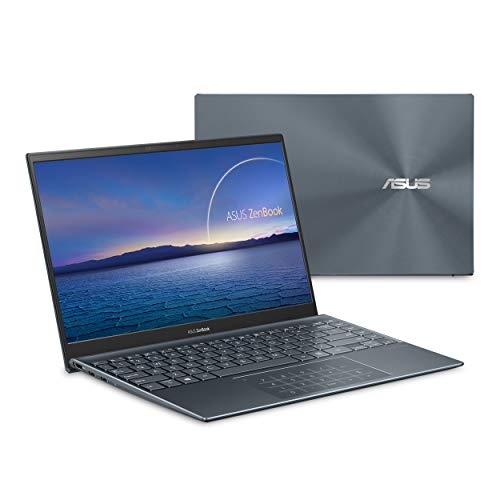
The Asus ZenBook 14 Ultra-Slim laptop is loved as a digital nomad laptop. It’s a great choice for those looking for a lightweight laptop with decent battery life and a quiet fan.
With this device you have the option to choose between a standard or anti glare display, depending on whether you work in bright spaces, although the latter is slightly heavier. It’s also a light option, between 2.4 and 2.6 lbs depending on the screen, so it even beats the beloved MacBook Air!
If you purchase this device directly from Asus, it also comes with a basic protection sleeve — which is perfect for storing your laptop on the go.
Size: 14” LED-backlit FHD (1920 x 1080) 16
Weight: 2.4 to 2.6 lbs
Processor: Intel® Core™ i7-8565U or Intel® Core™ i5-8265U
RAM/Memory: 8GB to 16 GB
Battery Life: Up to 14 hours
Storage: 1TB
Pros:
- Lightweight (less than 3lbs)
- Quiet fan
- Full anti-glare screen
Con:
- Single screen size option
- Does not offer a 2-in-1 set up
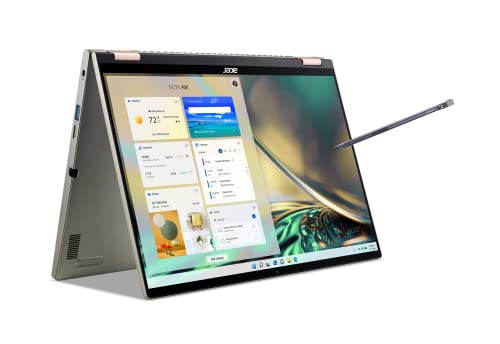

6. Acer Spin 5
The Acer Spin 5 Convertible 2-in-1 device is a great pick if your digital nomad work calls for copious amounts of video calls. Why, you ask? Acer has this fancy software that uses a combination of AI noise reduction and DTS audio to ensure quality audio. Simply put, the tech has your back on this one.
It’s not just about the audio with this one either. The built-in camera provides pretty solid imagery even in low-light situations — you probably won’t win any Oscars, but you can pretend the closet of your beach house is a regular ole office.
Overall, it’s a decent choice, especially considering its non-luxury price. It’s a sophisticated upgrade from previous versions of this same design, but some users do report that the design is a little awkward.
Size: 13.5” or 14” touchscreen (2560 x 1600)
Weight: 2.87 lbs
Processor: Intel® Core™ i5-1135G7 or Intel® Core™ i7-1260
RAM/Memory: 8GB or 16GB
Battery Life: Up to 12.5 hours
Storage: 512GB to 1TB SSD
Pros:
- Bright and colorful touch screen
- Thin and lightweight, making it ultraportable
Con:
- No LTE, mobile or broadband option
- More expensive than comparable competitors
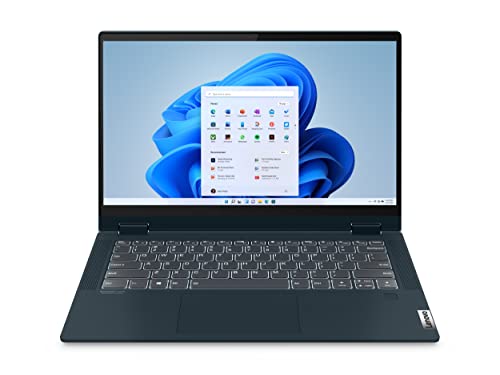

7. Lenovo Flex 5
The Lenovo Flex 5 is a bit on the heavier side, but for some remote workers that extra weight might be worth it. It features a full 360-degree hinge, perfect for those that need a little versatility in their device, and the keyboard features a number pad.
This device comes with an Active Pen, which should be the bare minimum for these 2-in-1 devices (in my opinion). Plus it has a privacy shutter to close up the camera, which again, should be mandatory for all devices. Not to mention there’s an ID fingerprint touch for a little extra security.
All-in-all, you can snag one of these travel laptops for less than $1,000, and even get access to high quality Dolby Audio so you can stream in your off hours.
Size: 14” (1920 x 1080)
Weight: 3.6+ lbs
Processor: Up to 11th Gen Intel® Core™ i7
RAM/Memory: Up to 16GB
Battery Life: Up to 10 Hours
Storage: Up to 512 SSD
Pros:
- Competitively priced
- Overall decent performance
Con:
- Display is nothing to write home about
- Not the best battery life
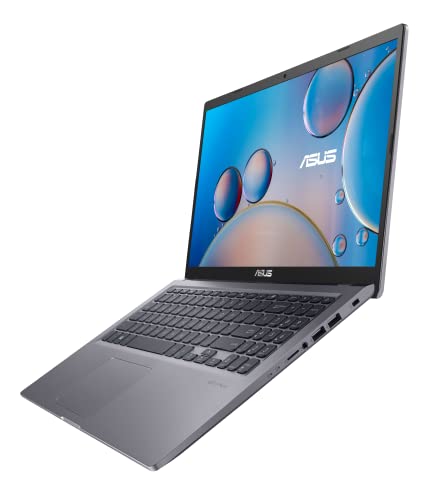

8. Asus Vivobook
The Asus Vivobook is an exceptional choice for travelers. It’s a little superficial, but I love the variety of colors you get to choose from. It offers dual capacity storage with both SSD and HDD options so you can store more (yes, please).
The battery life is also worth noting — you get up to 15 hours (sometimes more) in a single charge. Plus it’s fast-charging, able to charge 60% in 49 minutes, so you don’t have to worry about it losing power during your journey.
Finally, the compact design allows you to see more and carry less, ideal for travelers. And the built-in fingerprint sensor provides added security for peace of mind.
Size: 15.6” Full HD anti-glare display
Weight: 3.97 lbs
Processor: Intel® Core™ i7-8565U processor, Intel® Core™ i5-8265U processor or Intel® Core™ i3-8145U processor
RAM/Memory: 4GB to 16GB
Battery Life: 15+ hours
Storage: Dual capacity 128GB to 512 GB SATA SSD; 500GB to 2TB HHD
Pros:
- Stands out for its vivid display
- Fast charging battery
Con:
- Battery life doesn’t always perform as advertised
- On the heavier side


9. Lenovo Yoga C940
The Lenovo Yoga C940 is a 2-in-1 computer that features a 360 degree hinge. It’s a bit more of a conventional laptop with a rotating hinge then it is a premium device — but it still has merit amongst the digital nomads.
Not only does it have a full touchscreen but it features a backlit keyboard — which you only realize is a luxury when you don’t have one. It also includes a Power Pen, along with housing for the stylus that’s built into the rotating hinge (seriously handy!). Plus it’s thin and lightweight, so it can easily slip into your backpack and even includes a web cam privacy filter.
Size: 13.9 inch
Weight: 2.9 lbs
Processor: 9th Generation Intel® Core™ i7-9750H Processor
Memory: Up to 16 GB
Battery Life: Up to 12 hours
Storage: Up to 1TB SSD
Pros:
- Thin and light
- Comes with stylus
- Good battery life
Con:
- Sound quality varies between tent mode and standard laptop
- Not the best choice for tablet mode
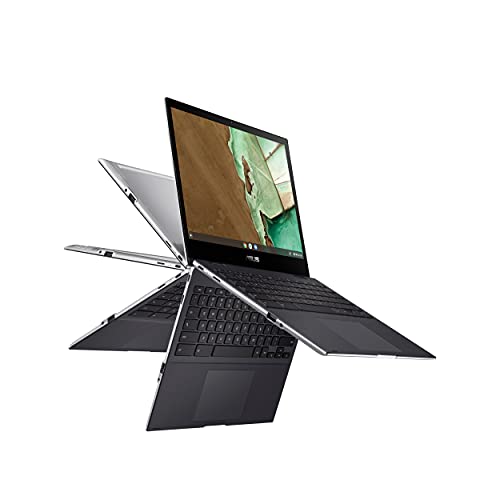

10. Asus Chromebook Flip CM3
If Chrome is your OS of choice, then the Asus Chromebook Flip CM3 is for you. It’s the perfect pick for those that love the Google Chrome experience and would like to bring it on the road with them.
This device is great because it’s inexpensive and you can usually snag yourself one for less than $300, but there isn’t a lot of customization available. It owes with 4GB of RAM and up to 128GB of storage, neither one of which can be increased. This makes this a device best used for basic tasks — like surfing the web and working in documents, but won’t work for heavier tasks like audio or vide editing.
While it’s not the most heavy duty choice, its size and price make it an affordable and portable device for a nomad. But you’ll want to make sure you bring a portable charger because you’ll only have 6 hours.
Size: 12” display (1366 x 912)
Weight: 2.5 lbs
Processor: MediaTek Kompanio 820
RAM/Memory: 4GB
Battery Life: 6 hours
Storage: Up to 128GB
Pros:
- Includes a stylus
- Lightweight
Con:
- Touchpad isn’t amazing
- Gorgeous glossy display tends to glare in the light
- Battery life leaves you wanting
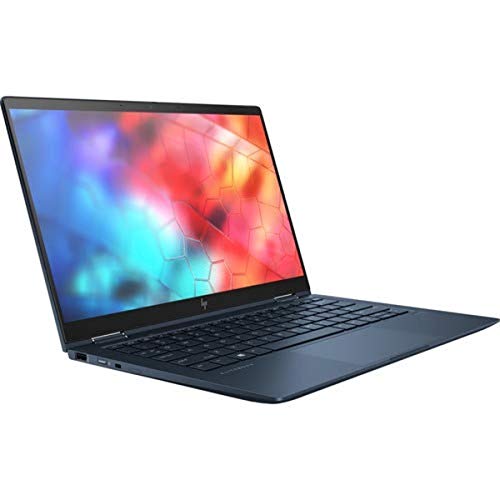

11. HP Elite Dragonfly
The HP Elite Dragonfly is an ultraportable, business-ready laptop. It’s designed to be sleek and stylish, and the higher price tag reflects that. In terms of performance, it often gets compared to the Dell XPS and Lenovo ThinkPad, making it a strong contender for a high-performing device. It has a notable battery life, and features natural noise reduction, so your video and audio calls are smooth.
The device comes standard with 16GB of RAM, making it suitable for light video and audio editing. The webcam is decent — which is a surprise as most devices have a built-in that’s worth ignoring. And it’s thin and light weighing a mere 2.2 lbs. If you have a bit of a higher budget and you don’t want to go the Apple route, this could be the device for you.
Size: 13.5 inches (1920 x 1280)
Weight: 2.2 lbs
Processor: Intel Core i7-1265U
RAM/Memory: 16GB
Battery Life: Up to 15 hours
Storage: 512GB
Pros:
- Long battery life
- Thin and light, perfect for travel
- Solid webcam and sound
Con:
- On the expensive end of things
- Doesn’t include a touchscreen (if that’s important to you)
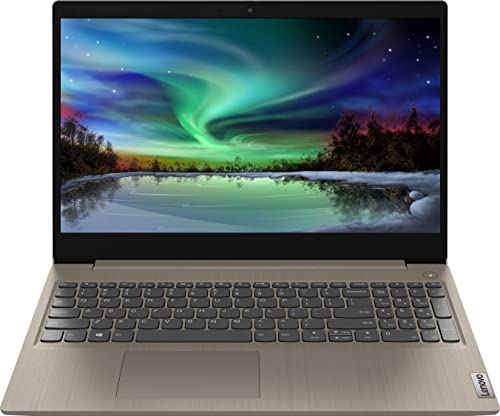

12. Lenovo IdeaPad
If you’re looking for a larger display on a device that’s built to last, Lenovo’s IdeaPad is for you. AT 17.3-inches, this display beats out even the MacBook Pro 16. But it’s still travel friendly at less than 4 lbs, features a flexible hinge so you can set up a comfortable position regardless of where you’re working.
It easily fits in your suitcase and backpack abroad.
With lots of memory (20GB), a decent battery life (9+ hours), and the larger screen, this device makes a great companion for photo, video and audio editing, or whatever other task you want to throw at it. While this isn’t my top pick, it is a solid device that’s worth checking out pending you can fit it in your budget.
Size: 17.3” LED-backlit display
Weight: 3.1 lbs
Processor: 10th Gen Intel Core i5 processor
RAM/Memory: 20 GB RAM
Battery Life: 9 hours
Storage: 512 GB SSD
Pros:
- Many port options
- Great RAM and storage space for budget
Con:
- Audio and camera are unimpressive
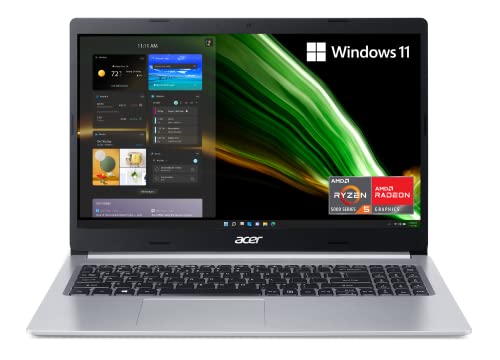

13. Acer Aspire
The Acer Aspire is the perfect option for the overpacker looking to save some space without compromising on features.
It comes in 5 different color choices, so you can match whatever mood you want. Despite its small size, this laptop packs a bunch with smooth multi-tasking capabilities, full HD color-rich screen, and lots of screen space.
For those on a tight budget, the Acer Aspire HD is a great pick that won’t disappoint.
Size: 15.6” Full HD widescreen IPS display
Weight: 3.88 lbs
Processor: AMD Ryzen 3 3200U
RAM/Memory: Up to 16GB
Battery Life: Up to 7.5 hours
Storage: Up to 1TB SSD
Pros:
- Affordable
- Durable
Con:
- Touchpad can be a little stubborn
- Not a massive fan of the AMD Ryzen processors
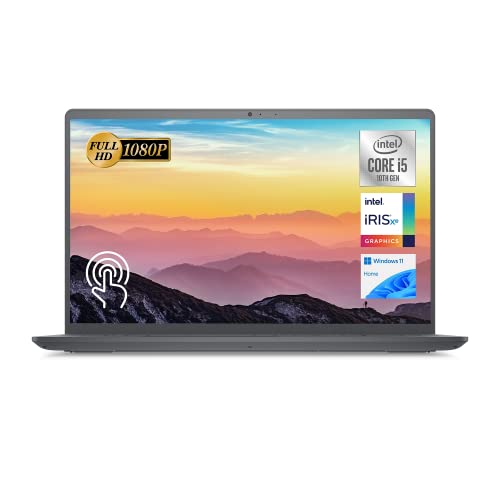

14. Dell Inspiron 15 3000
The Dell Inspiron 15 3000 is a great laptop for basic use if you’re on a budget. Not only is it highly affordable for many, it can handle all the day-to-day tasks you’re going to throw at it.
However, it’s important to note that this is not a laptop that you want to use for heavier tasks like editing video.
Size: 15” full HD display (1920 x 1080)
Weight: 3.82 lbs
Processor: Intel Core i3-1115G4
Memory: 4GB
Battery: 7 hours
Storage: 128 GB SSD
Pros:
- Quality CPU/processor
- Large display
- Affordable
Con:
- Battery life isn’t great
- Hinges are reported as being stiff
- Screen leaves you wanting


15. Google Pixelbook Go
The Google Pixelbook Go is the budget version of Google’s Pixelbook. While you can usually snag it for less than $1,000, it does sacrifice on a few of the original device’s features. That said, it’s still a decent device for a digital nomad.
This is not going to be the go-to device for digital nomads that do a lot of heavy graphics work — if you run a YouTube channel or podcast this is NOT the device for you. However, if you’re looking for something simple and affordable it might just be the best pick.
I like that you can start with an upgraded 16GB of RAM, however it the space (64GB) doesn’t give that same support. If you want something fast that you can take on the go, this might be a great option — however, you’ll need to focus on using cloud storage to really maximize on the small amount of space.
Size: 13.3 inch full HD
Weight: 2.3 lbs
Processor: 1.3GHz Intel Core i5-8220Y or i7
RAM/Memory: 8GB to 16GB
Battery Life: 12+ hours
Storage: 64GB
Pros:
- Great battery life
- Quiet, comfortable keyboard
Con:
- Priced a little high
- No fingerprint login for security
Things to Consider for Buying a Digital Nomad Laptop
Price
I’m of the opinion that price should be your biggest consideration. You only have what you have, bankrupting yourself over a laptop probably isn’t going to get you to where you want to be. Most basic jobs you’ll take on as a digital nomad can be performed using a budget-friendly device.
However, if you’re a programmer, video or audio editor (including YouTubers) or gamer, you’ll need to have a bigger budget to get what will work best. Remember, upgrading is always an option when you have the money to do so!
Size and Weight
The size and weight of your laptop will be on of your biggest considerations when it comes to choosing the right laptop to travel with. The bigger the device, the harder it’ll be to find a bag to store it in. Most average backpacks are designed for laptops that have a standard 13.3-inch screen. If you want to go bigger with that, you’ll need to make sure you take that into account.
Performance
Fast CPU
Your laptop’s central processing unit — also called the CPU or processor — is what keeps your device running. It’s the device that responds to your commands and accesses your RAM or long-term storage to complete the task you’ve asked of it. Now-a-days most computers have a solid CPU, but some are better than others. If you need a lightning-fast CPU, you’ll want to look at higher end devices like the MacBook.
RAM
RAM (or “random access memory”) is your computer’s short-term memory. This dictates how fast your computer works on the go. If you’re going to be editing video or audio files, you’ll want a minimum of 16GB. If you just need simple tasks, 8GB should be fine. The GB of RAM is important to pay attention to for graphic designers especially.
Storage
Your laptop’s internal storage is important. Consider that every program you install — from Microsoft Word to Adobe InDesign — takes up space. Then every file you save within those programs needs additional space.
At minimum, most nomads will probably need at least 256GB of storage, but the more the merrier. This is an especially important consideration if you’re someone who plans on visiting more remote places with less reliable internet.
Battery Life
When you’re on the go, you’ll need your battery to keep you online and working. How much battery life will depend on what you’re planning on doing, but a safe place to be is in the 10 hour battery life (or more) range.
Batteries can always be recharged, but your average portable battery pack probably won’t have enough juice to do it. Consider how much time you’ll be working in airports, cafes, and other places where you might have limited access to power.
Hours of battery life to me is worth upping the price range so you can work on the go. There’s nothing worse than writing blog posts in a cafe then having to move to hunt for a charging spot.
Durability
Hopefully you aren’t planning on running over your laptop with a 6-wheeler, but durability is a consideration when you’re traveling. Even the most careful nomads will need to consider the extra stress that getting from A to B will put on your device. Make sure you’re putting it in a case inside a bag that has a space for it. But also consider a device made out of a harder material like aluminium alloy.
Brightness
Not all devices have stellar screens. I love my MacBook Pro, the display gives me enough control to work in light and dim situations, unfortunately not all devices have a great screen. If you’re going to be streaming movies or editing video or photo content, you’ll want something with a stellar looking screen.
Ports
Not all computers are made with all types of ports. Consider what else you’re going to be travel with and figure out what ports you’ll need to be able to connect to. Traveling with a DSLR or other camera? You might want to consider a built-in card reader. Brining along your iPhone? You’ll probably want a USB or USB-C port that can connect to your phone.
Accessible Parts
A computer with accessible parts usually means it’s easier to fix. Premium devices like the MacBook Air and Pro don’t have accessible parts, that means you’ll need to take them to an Apple Store to be repaired. However, many PCs can be opened by the average tech and parts replaced as-needed.
Laptop vs. Tablet for Travel
When it comes to deciding between a laptop or tablet for travel, there are several factors that should be considered. Laptops offer more power and features than tablets, so if you’re looking for something that can handle intensive tasks like gaming or video editing then a laptop is the way to go.
On the other hand, tablets are much lighter and more compact which makes them great for carrying around on-the-go.
Additionally, they usually have longer battery life and cost less than laptops.
Ultimately, it comes down to personal preference but there are many options available no matter what your needs may be.
Laptop Accessories for Digital Nomads
Laptop Sleeve
A laptop sleeve or laptop case is an important item that can protect your device from dust, scratches, and impacts. It can also help you to easily transport your laptop from place to place in a secure manner.
Laptop Stand
You also need a laptop stand in order to keep their devices comfortable and secure while using them on the road or in shared workspaces. Having these additional items will help digital nomads stay productive and connected no matter where they choose to work.
Ergonomic Mouse
An ergonomic mouse is essential for digital nomads, providing them with comfort and support as they work on the go. An ergonomic mouse is designed to fit the shape and size of the user’s hand and provide support to prevent injury. It also helps reduce strain on the wrist, forearm, shoulder, and neck muscles while working.
Portable Keyboard
Portable keyboards are an essential tool for digital nomads, providing them with the ergonomic support they need to stay comfortable and productive while working on the go.
Having a portable keyboard allows users to type comfortably without having to hunch over their laptop or strain their wrists and arms when typing.
Portable keyboards also help reduce fatigue by allowing users to adjust the height of their keyboard according to their individual needs.
Furthermore, using a portable keyboard can also improve posture since it encourages users to sit up straight instead of slouching over their laptop.
Ergonomic Mousepad and Wrist Support
You can further support your body – cause let’s be real, bodies wear easily! – by getting an ergonomic mousepad to support your wrist. This massively helped my crushed nerves in my arms and enabled me to work without wrist braces long term.
External Harddrive
Using an external hard drives is essential for bloggers, as it can help them to securely back up all of their content in one place. This is especially important given the amount of time and effort that goes into creating a blog post. An external hard drive also provides more storage space than a laptop or mobile device, which can be invaluable if your laptop breaks along your journey.
VPN (NordVPN)
Having a secure VPN like NordVPN ensures that data is encrypted and secure when sending across public networks or over the internet. This provides privacy, security and anonymity while using online services.
It also helps me watch Netflix or Amazon Prime like I’m in the US even when I’m abroad – or to access Google in places like China.
FAQs
What is the best laptop for working remotely?
The best laptop for remote work depends on the kind of work you do. I recommend the MacBook Pro, especially if you’re working with photo and video files. But if you’re just performing everyday tasks, such as surfing the internet or working in Google Workspace, almost every modern laptop will do.
What size laptop is good for travel?
You can travel with any size of laptop, so long as you have the right case and bag. However, smaller tends to be better because they’re lighter and pack easier. The standard laptop size for most everyday backpacks is 13.3-inches, if you want something bigger make sure you have the right bag!
How do you pack a laptop for air travel?
To travel with your laptop on a plane, make sure that you carry it in a laptop sleeve or case, and then inside a bag. I recommend packing it in your personal item so it will be with you wherever you go. You can also put it in your carry-on bag, just make sure it’s hard-sided and has a lock.
Is it better to travel with an iPad or laptop?
You can travel with either an iPad or a laptop, but you will be limited to only a tablet on what you can do. Can you travel with just a tablet? Of course you can, but make sure that every task you need to perform for work can be done comfortably on your iPad before you set off.
Can I get travel insurance for my laptop?
Not all travel insurance covers laptops and other personal devices, but you can find some that do. If you’re specifically concerned about it, make sure that you look into the ins and outs of your travel insurance policy and find one that meets your needs. In most cases, theft is the only thing covered.
Can you travel with a laptop in your carry-on?
Yes, your laptop HAS to go in your carry-on. Due to the lithium battery in most devices, laptops cannot be stored with your checked baggage. Make sure that you have your laptop on hand at all times. If you’re going to put it in your carry-on, I recommend making sure that your bag has a lock for extra protection.
Can I charge my laptop with a travel adapter?
Yes, many devices can be charged with a travel adaptor. However, you’ll want to make sure that your specific adaptor is able to handle the power that your laptop needs. If you’re purchasing an adaptor for your travels, make sure that you take that into consideration before you buy.
What is the lightest laptop for travel?
The Microsoft Surface Pro 7 and Dell XPS 13 are both less than 2 lbs. However, all of the laptops on this list are less than 5 lbs — which should be good for travel. Less is often better because it lightens the load, but make sure you don’t sacrifice usability for weight.
Wrap-Up: Best Laptops for Digital Nomads
The best travel laptop for digital nomads (in my humble opinion) is the MacBook Pro 16. This device tends to top most lists, but I swear it’s there for a reason. Not only does this device have exceptional performance, but your favorite travel blogger and digital nomad (yours truly) uses it.
If you want a similar experience while shelling out less money, I recommend checking out the MacBook Air. However, there are a ton of great laptops out there that will serve you as a traveler with starting prices as low as $250. Whatever you need in a device you can definitely find.
Living Abroad Travel Planning Guide
🚑 Should I buy expat travel insurance?
100% YES! — With basic coverage averaging just $5-10 USD per day, enjoy peace of mind with a plan from Safety Wing!
🌎 What is the best country to live in as an expat?
It depends – the best country to live in as an expat will depend on your unique needs. I developed this free quiz to help you figure out where is right for you!
📍 How do I pick a country to live abroad?
It depends – picking a country to live in is hard. That’s why I developed this $7 course to share all of the steps I’ve taken when deciding to move to 20+ different countries, and how I handle homesickness when I get there.
Ultimately, making the choice of where to move is going to be hard. But the hardest thing is deciding to move abroad at all!
💼 How do I get a job as an expat?
You can find work abroad via local job boards or temp agencies. My favourite way to work is remotely, so I always look for jobs on FlexJobs.com when I live abroad. They hire for 100% remote roles only.
If you’re looking to teach English abroad, Premier TEFL has the best online course to get you great work!
💰 How do I open a bank account abroad?
Wise.com offers free global accounts, and the cheapest money transfers. Since it can be a headache to open bank accounts in different countries (it took me 2 months in the UK!), Wise.com is a great solution.
I actually use it as my primary bank now worldwide due to the multi-currency debit card. (Read more)
👯♀️ How do you make friends abroad?
Meetup.com – Meet likeminded people who share a similar hobby with Meetup! It’s free to join, but some activities may cost money, like if you go to a cafe and get a coffee.
🙀 I don’t speak the language. Can I still live abroad?
Learn languages in no time with iTalki! Moving abroad is an opportunity to learn the language. You don’t need to know it before you leave home.
💻 Do I need a VPN?
Yes! – VPNs allow you to access more of the internet. From US Netflix in the UK to social media sites banned in Asia. It’s a really helpful and cheap thing to ensure your online activities aren’t restricted.
🧳 What’s the best luggage for living abroad?
This is my favourite luggage set for long term travel. You can read more about my review of types of suitcases for travel here.
🏡 How do I tell my friends and family I want to live abroad?
Take this $7 course and learn the exact script I used to tell my family I was moving abroad … and then when I did it again. I even include tips for prepping your family, and for how to handle family who aren’t supportive.
✈️ What’s the best site to buy cheap flights?
To find cheap flights, I recommend Skyscanner. (Read more)
🏨 What’s the best site to find cheap hotels?
To find cheap hotels, I recommend Booking.com. (Read more)
Or stay for free with Trusted Housesitters!
🚗 What’s the best site to rent cars abroad?
To find cheap rental cars, I recommend Discover Cars.
🚗 What’s the best site to find tours?
To find epic tours, I recommend Viator.